
- News · Education
- Estimated reading time:2 min read
Introducing the Stoify SEO workspace
- By Stoify
Stoify now brings page-level metadata, canonical control, sitemap readiness, and Google PageSpeed audits into one module-aware storefront workflow.
Share this page
Search optimization becomes difficult when page data lives in the commerce platform, metadata lives in a plugin, and performance findings live in a report that nobody revisits. The new Stoify SEO module brings those jobs into the same workflow merchants already use to publish their storefront.
Control metadata where the page is managed
Products, collections, categories, brands, custom pages, blog posts, events, forms, and legal pages can now have their own meta title, meta description, and canonical URL. The controls appear in the central SEO workspace and alongside the relevant content editor.
Every field is optional. When an override is blank—or when the module is disabled—the storefront keeps its automatic metadata. That means enabling SEO adds precision without replacing the safe defaults already used across Stoify.
Audit the pages that shoppers can actually reach
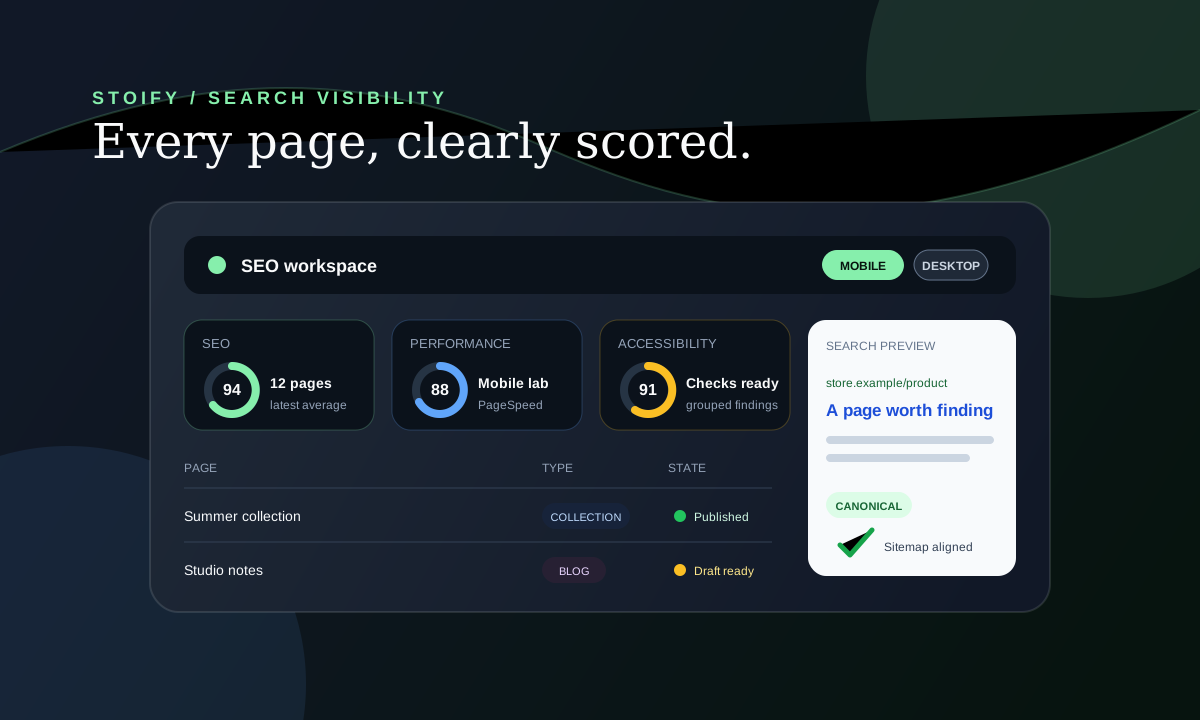
The dashboard uses Google PageSpeed Insights to retain the latest mobile and desktop Lighthouse results for each page. SEO, Performance, and Accessibility remain separate scores, while the detail view shows lab metrics and grouped, actionable findings.
Mobile is selected first because storefront discovery is mobile-first. Desktop results stay separate so a strong desktop run cannot hide a weak mobile experience.
Batch auditing is intentionally controlled: merchants can select up to ten pages and Stoify sends no more than two PageSpeed requests at once. Successful results remain fresh for 24 hours unless a merchant explicitly requests a rescan.
Stoify also refreshes mobile and desktop results each day for every eligible page on SEO-enabled sites. Draft, hidden, private, maintenance-mode, and non-indexable pages are excluded automatically.
Prepare drafts before they go live
Draft and hidden pages remain visible in the inventory. They can receive title, description, canonical, social-image, and sitemap-readiness checks before publication, but live audits wait for a public, indexable URL.
The same protection applies when storefront indexing is disabled, a storefront password is active, or maintenance mode is serving a holding page. The workspace explains the exact blocker instead of turning it into a misleading low score.
Keep crawl signals aligned
Stoify now covers published products, collections, categories, brands, custom pages, blog posts, events, forms, and legal pages in storefront sitemap output. When an enabled SEO override points its canonical to a different URL, the source page is omitted from the local sitemap. Private utility pages such as account, cart, checkout, password, and verification flows remain non-indexable.
Read the complete storefront SEO controls and audits guide for the workflow, or explore why Next.js SEO matters for ecommerce sales for the technical and commercial context.
Continue exploring
Related Stoify articles and feature pages connected to this topic.
Visibility
Storefront SEO controls and audits in one workspace
Manage page metadata, canonicals, sitemap coverage, and mobile or desktop PageSpeed audits from the same Stoify workflow that publishes your store.

- Education
Why Next.js SEO Optimizations Matter for Ecommerce Sales
How faster rendering, better metadata, structured data, and crawl-friendly architecture in Next.js can help ecommerce brands win more traffic and convert more revenue.