
- Education
- Estimated reading time:4 min read
Let Commerce Teams Build Their Own Storefront Workflows, Safely
- By Stoify
Give the people closest to your customers more room to shape storefront pages and workflows, while keeping access, review, and publishing under control.
Share this page
The person who spots a storefront problem is often not the person who can fix it. A merchandiser sees that a collection needs a better introduction. A support lead wants a clearer form. A founder has a new idea for a landing page. Each request then waits for someone to translate it into code, configure another tool, or coordinate a release.
That gap slows down good ideas and makes small changes feel bigger than they are. Commerce teams need room to shape the systems they work with every day, while the business still needs clear boundaries around who can change what and when it reaches customers.
Give teams useful building blocks
Self-service does not have to mean handing everyone a blank canvas or asking business teams to maintain custom code. It can mean giving authorized operators a set of understandable parts that fit together: page sections, product and collection content, forms, navigation, media, and theme controls.
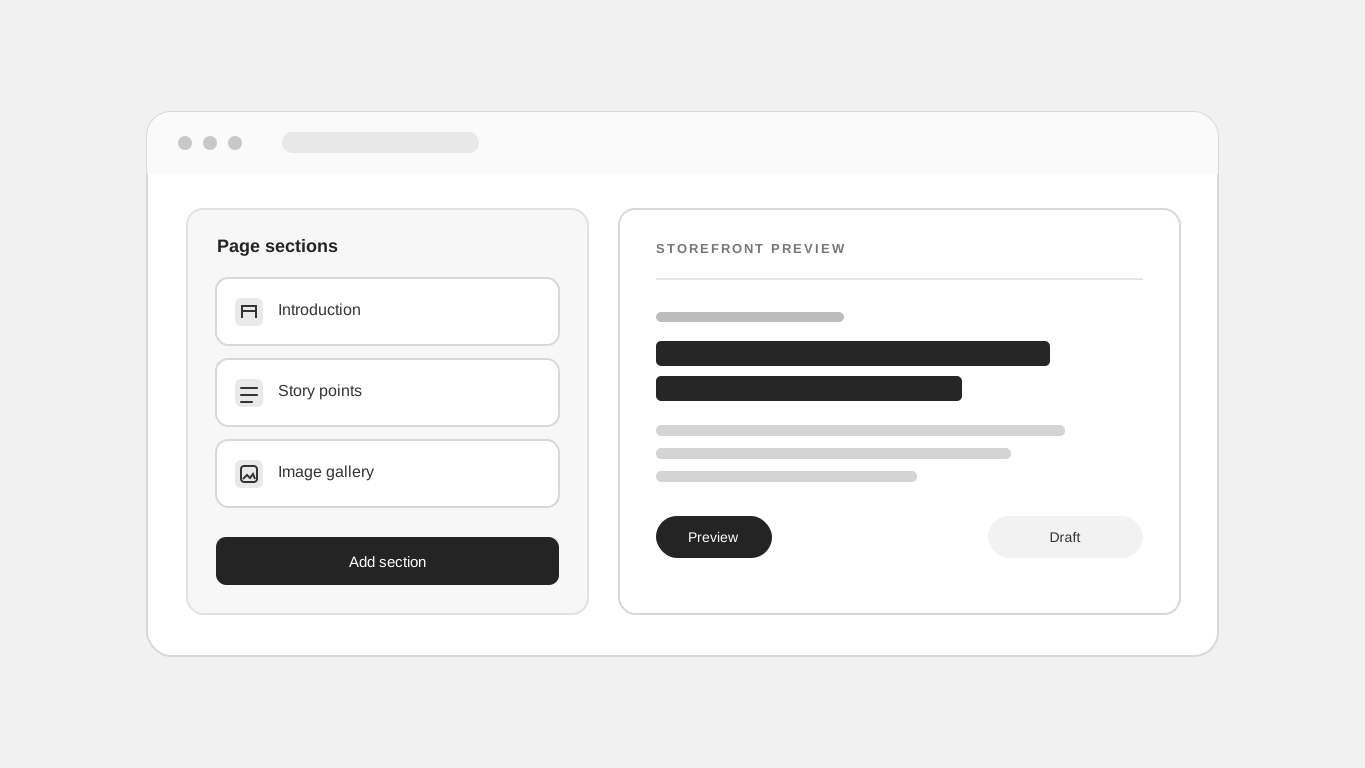
Stoify’s storefront builder brings those parts into a visual editor. A team can compose a custom page from reusable sections, update its content in context, and choose how the content is arranged. The form workflow keeps fields and submissions connected to the page where customers use them.
The value is not only fewer requests sent to engineering. People who understand the offer, the products, and the customer questions can make the first version themselves, using the same storefront components the rest of the site already uses.
Keep publishing a deliberate step
More people contributing should not mean every change immediately becomes public. A useful system makes the state of a change clear. In Stoify, a custom page can be saved as a draft or published, and the editor can preview the storefront before saving. That gives an owner or admin a chance to check the content and layout before the page becomes part of the live customer journey.
Review also needs to cover more than a desktop screenshot. The customer preview tools help teams inspect the experience for different customer states, while responsive previews show how a layout behaves across device sizes. Those checks catch issues that are easy to miss when reviewing a text field on its own.
A simple review habit can make this practical:
- Agree on the goal and the person responsible for the change.
- Build with the existing page sections and connected store data.
- Preview the page on the devices and customer states that matter.
- Keep it in draft while details are being reviewed.
- Publish when the authorized owner or admin is ready.
Let AI help inside the same boundaries
AI can make self-service faster by turning a clear request into a first draft, finding the right page to update, or preparing supported content changes. But the model should not become a second permission system.
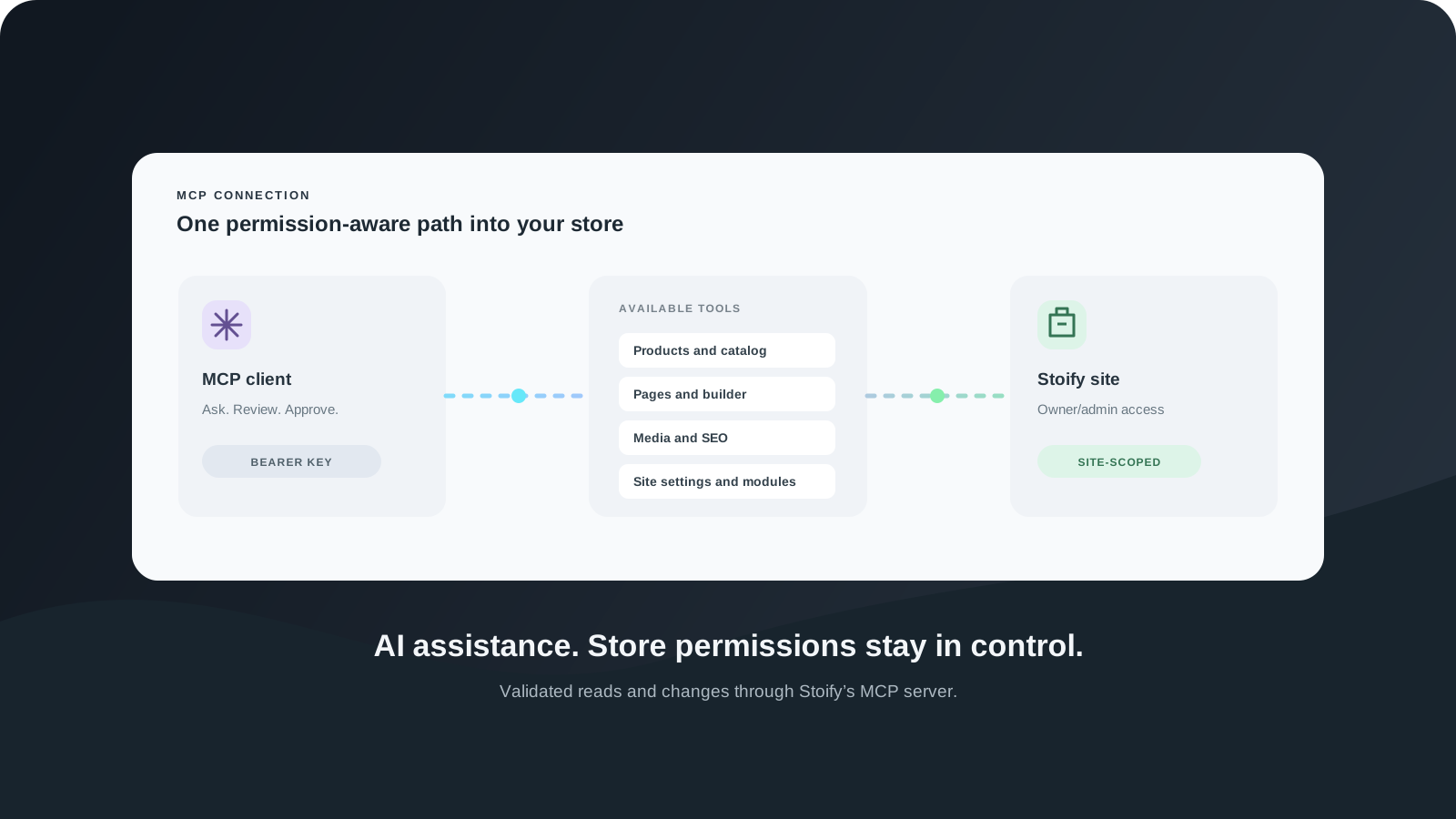
Stoify’s MCP server gives compatible AI clients tools for supported site tasks. The server checks access to the selected site and validates operations through Stoify. Site operations require owner or admin access, and the API Endpoints module must be enabled for the site. The assistant can help with the work; Stoify remains responsible for deciding whether that account can perform it.
That distinction matters. A generated page is still a page in the site’s own content model. It can use the same builder configuration, media rules, and publication state as a page created by hand. A useful assistant reduces the effort of getting to a reviewable change without bypassing the controls that protect the storefront.
Make access match responsibility
“Let the team build” should not be shorthand for giving every account broad access. The right people need access to the right site, and powerful changes should stay with people who are responsible for the storefront. Stoify’s builder writes are scoped to the current accessible site and require an owner or admin role.
That gives teams a practical way to share the work without making the system anonymous. A business owner can define the publishing boundary. An admin can shape the page or workflow. Other stakeholders can contribute the customer context, content, and review notes that make the result useful.
More ownership, fewer handoffs
Commerce teams do not need another disconnected page tool. They need a safe way to turn their knowledge into storefront improvements while keeping the catalog, customer journey, and publishing controls connected.
When the building blocks are clear and access checks stay in place, stakeholders can take more ownership of everyday systems. Engineering can focus on the work that actually requires engineering, and the people closest to the storefront can keep improving it in the rhythm of the business.
Explore the storefront builder, see how customer preview supports review, or read about the Stoify MCP server for AI-assisted store operations.
Continue exploring
Related Stoify articles and feature pages connected to this topic.

Your work and your story
Portfolio page builder
Build a personal site with editable introductions, skills, contact links, story timelines, and project details in the Stoify page builder.

Storefront builder
Storefront builder customer preview and temporary cart
Preview customer account journeys, build a temporary cart, and review checkout safely inside the storefront builder without changing production customer or order data.

Optional module
Custom forms and visual submission workflows
Build site-specific forms, publish them at a clean storefront URL, inspect every submission, and automate follow-up with a visual email workflow.
Developer tools
Stoify MCP server for AI-assisted store management
Connect an MCP client to read and manage Stoify sites through site-scoped tools for products, blog posts, storefront pages, builder settings, modules, media, and SEO.