
- Education
- Estimated reading time:2 min read
Make Storefront Changes Without a Fragile Handoff
- By Stoify
Campaigns and merchandising move quickly. A visual storefront workflow helps teams review pages, update content, and check the customer journey before changes go live.
Share this page
A storefront change often starts with a simple request: feature a new collection, update a campaign message, improve a product page, or make navigation easier to understand. The request becomes harder when the person who knows what should change cannot safely review the result.
That is how routine merchandising work turns into a fragile handoff. Content moves through screenshots and messages, the published page is difficult to inspect, and the team has to hope each detail survived the trip.
Put page work in context
Editing a heading in isolation does not show whether the page still works as a whole. The surrounding layout, product imagery, calls to action, navigation, and mobile view all affect the result.
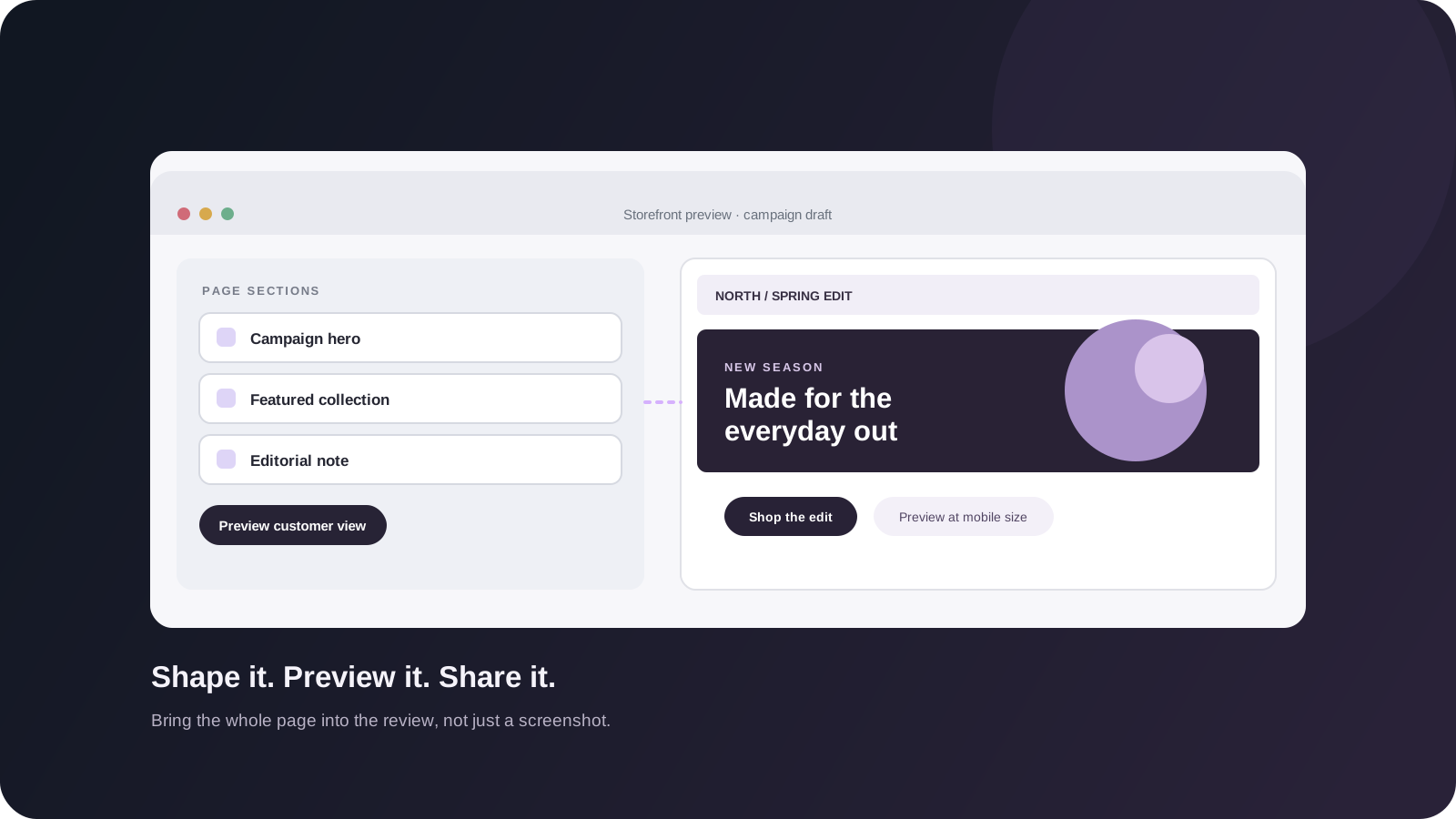
Stoify’s storefront builder gives teams a visual way to shape storefront pages and sections. Changes can be reviewed in the context of the page, where the team can see whether a product story is clear and whether the next step is easy to find.
Review the customer journey before publishing
The page is only one part of the journey. A campaign may lead into a collection, then a product page, cart, and checkout. A change that looks good at the top of a page can still create a dead end later.
With customer preview, the builder can show the storefront for different customer states. That gives a merchant a way to review more of the experience before publishing, rather than checking only the first screen.
Useful review questions include:
- Is the main offer clear without scrolling?
- Do product and collection links lead to the intended place?
- Does the page remain readable on a smaller screen?
- Is the next action obvious for a returning customer?
- Does the cart and checkout flow still match the promise on the page?
Keep merchandising connected to the catalog
Storefront content works best when it reflects the products and collections the team actually maintains. Re-entering product details into a separate campaign system makes updates slower and increases the chance of stale prices, images, or links.
Keeping page work near the catalog gives merchandisers a more direct path from product choice to storefront presentation. It also makes a campaign easier to revisit when inventory, pricing, or availability changes.
Make review part of the work
A good handoff has a clear owner, an editable draft, and a predictable review step. The person shaping the content should be able to inspect the customer-facing result; the person approving it should know what changed and where it leads.
That turns page updates from a high-friction release into ordinary storefront work. Teams can make smaller improvements more often, learn from the result, and keep the experience aligned with the way the store operates.
Continue exploring
Related Stoify articles and feature pages connected to this topic.
Your work and your story
Portfolio page builder
Build a personal site with editable introductions, skills, contact links, story timelines, and project details in the Stoify page builder.

Storefront builder
Storefront builder customer preview and temporary cart
Preview customer account journeys, build a temporary cart, and review checkout safely inside the storefront builder without changing production customer or order data.